

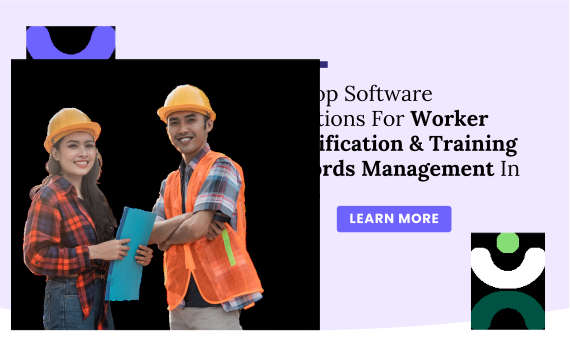
Maintaining accurate worker certification and training records is essential for many industries today. Construction, healthcare, manufacturing, and logistics all rely heavily on having up-to-date proof of skills and safety training. Failing to keep these records in check can lead to costly fines, legal trouble, or workplace accidents. As regulations become more strict, companies need smarter ways to manage training compliance.
The rise of digital tools has transformed how we handle employee certifications. Instead of paper files or spreadsheets, companies now turn to automated software solutions. These tools make it easier to track expiration dates, schedule renewals, and generate reports swiftly.
This article dives into the top software solutions for worker certification and training records management in 2026. Read on to find the best fit for your organization’s needs.
Problems with Manual Certification Tracking
Managing employee certifications through spreadsheets or paper files creates unnecessary risks. Expired credentials often go unnoticed until an audit or inspection reveals the gap. Manual systems make it difficult to track who needs renewal, when training was completed, or which documents are missing. As your workforce grows, these challenges multiply, leading to compliance violations, safety incidents, and operational disruptions.
Key Benefits of Automated Certification Management
Employee certification tracking software eliminates these headaches by centralizing all records in one accessible system. Automated alerts notify managers before certifications expire, ensuring continuous compliance. You’ll reduce administrative workload, minimize human error, and gain instant visibility into your team’s qualification status. For industries facing strict regulatory oversight, this software provides the audit-ready documentation you need to demonstrate compliance quickly and confidently.
Features Of Worker Certification & Training Records Management Solutions
When evaluating employee qualification tracking software, focus on features that eliminate manual tracking burdens and reduce compliance risks. The right certification management system should automate repetitive tasks, provide clear visibility across your organization, and scale as your team grows. Here are the essential capabilities your solution should include:
- Centralized Record Storage
A centralized digital database for storing all employee training and certification records is one of the core features of any good management solution. This eliminates the need for physical paperwork or multiple spreadsheets, making it easy to access, update, and manage records. Whether you have hundreds or thousands of employees, having a single location for all your records ensures that nothing gets lost or overlooked.
- Certification Expiry Alerts
One of the most important features is automated expiry alerts. When certifications, licenses, or training programs are about to expire, the system will send reminders in advance. This ensures that employees are always up-to-date with their required qualifications, reducing the risk of non-compliance. Timely renewal notifications help businesses avoid potential disruptions and maintain smooth operations.
- Training History Tracking
With training history tracking, the software records every training session attended by an employee, including the date, type of training, and trainer. This history is crucial for audits and performance evaluations. Managers can track employee progress over time and ensure that every worker has completed the necessary certifications for their role.
- Custom Certification Types
Every business has unique certification and training needs. Whether you’re tracking safety certifications, machine operation qualifications, or specific industry certifications, the software should allow you to create custom fields for each certification type. This flexibility makes it adaptable to a wide variety of industries, from construction to healthcare, ensuring the system works for your specific requirements.
- Document Uploads and Verification
Another valuable feature is the ability for employees or administrators to upload scanned copies of certifications, licenses, or diplomas directly into the system. This streamlines verification and makes it easy to access digital copies of important documents. Some advanced systems even provide built-in verification tools to ensure that uploaded documents are valid and up-to-date, reducing human error.
- User Access Levels
The software should offer customizable user access levels, allowing managers to control who can view, update, or approve training records. For example, supervisors may only be able to approve new certifications for their team members, while HR may have full access to all records. This feature ensures that sensitive information is protected while maintaining accountability across departments.
- Integration with Other Systems
Worker certification and training management software should be able to integrate seamlessly with other enterprise systems, such as HR software, payroll systems, and learning management systems (LMS). This integration ensures that employee training data flows smoothly between different platforms and helps maintain consistency across all business operations.
- Training Scheduling and Management
The software should also offer scheduling features that allow managers to plan, organize, and assign training sessions. Employees can be automatically notified of upcoming training sessions, making it easier to manage calendars and ensure that all required training is completed on time. Some solutions also include features for managing waitlists and rescheduling training events.
- Reporting and Analytics
A strong reporting feature enables managers to generate real-time reports on employee training and certifications. These reports can cover areas such as training compliance rates, upcoming certification renewals, and training costs. Analytics tools within the software provide insights into trends in employee development, allowing businesses to make informed decisions about future training needs and resource allocation.
- Mobile Access
Given the growing need for remote and flexible work environments, many software solutions now offer mobile access. This feature allows employees to view their training schedules, check certification statuses, and even upload documents from their mobile devices. For on-the-go employees or managers who need instant access, mobile support ensures flexibility and convenience.
- Audit Trails and Compliance Reporting
For businesses that need to demonstrate regulatory compliance, having a robust audit trail feature is essential. The software records all actions taken on the system, such as when a certification was issued, updated, or verified, and who approved it. This makes it easier to respond to audits and ensures that businesses can provide a transparent record of employee qualifications.
- User-Friendly Interface
The best training records management solutions have an intuitive, easy-to-navigate interface. This ensures that employees, managers, and administrators can quickly access and update records without a steep learning curve. A clean and well-designed interface can significantly improve the efficiency of managing training and certification records.
How to Choose the Right Certification Tracking Software
1. Must-Have Features Checklist
Not all training tracking software is created equal. Prioritize solutions that offer automated expiration alerts, customizable certification types, and robust reporting capabilities. Look for platforms with mobile access so field workers can view their credentials on-the-go. Integration with your existing HR and payroll systems is also critical—it ensures data flows seamlessly without duplicate entry. Finally, verify that the software includes audit trail functionality to maintain compliance documentation.
2. Consider Your Industry and Company Size
Your industry requirements should guide your software choice. Construction companies need OSHA and safety certification tracking, while healthcare organizations must manage clinical licenses and continuing education credits. Small businesses with 10-50 employees might thrive with straightforward, cost-effective solutions like Trainual or iSpring Learn. Larger enterprises with complex, multi-location operations typically require enterprise-grade platforms like Docebo or Absorb LMS that offer advanced automation and scalability.
3. Budget and Pricing Models
Employee training management software pricing varies widely. Entry-level solutions start around $70-120 per month for small teams, while enterprise platforms require custom quotes based on user count and features. Consider the total cost of ownership—including implementation, training, and ongoing support. Many vendors offer free trials, so test 2-3 options with your team before committing. Remember that investing in the right system pays for itself through reduced compliance violations and streamlined operations.
1. Knowella
Why Use Knowella?
Knowella is a modern, all-in-one platform built to make employee training and certification tracking simple, fast, and efficient. Designed with busy teams in mind, Knowella takes the guesswork out of onboarding and compliance. Whether you’re training new hires, managing recurring certifications, or updating long-time employees on new policies, Knowella helps you stay on top of everything in one place.
Its easy-to-use dashboard, mobile access, and flexible tools make it a favorite among growing companies that want to streamline processes without sacrificing quality. With Knowella, you can build engaging learning experiences, ensure that employees stay certified, and meet regulatory requirements without the hassle of manual tracking.
Top Features:
- Create and manage custom training programs by role or department
- Interactive modules to keep employees engaged and improve learning
- Mobile-friendly so workers can complete training anytime, anywhere
- Real-time tracking and automated progress reports
- Seamless integration with your existing HR tools
Free Version: Available
Pricing: Contact Knowella for custom plans
Platforms Supported: Web, iOS, Android
Explore: Visit Knowella
2. TalentLMS
Why Use TalentLMS?
TalentLMS is a cloud-based learning management system designed to simplify training for organizations of all sizes. Whether you’re managing internal employees, external contractors, or a hybrid workforce, TalentLMS helps you create, manage, and deliver training effortlessly.
It supports multiple content types, including video, SCORM, and quizzes, allowing you to build dynamic courses that fit your team’s needs. With real-time analytics and easy user management, you can track progress and performance at both individual and team levels. It’s ideal for businesses looking to train people at scale without the complexity of traditional systems.
Top Features:
- Easy course creation with drag-and-drop functionality
- Supports SCORM, xAPI, and other content standards
- Built-in tests, quizzes, and certifications
- Mobile learning with offline access
- Detailed reporting and analytics
Free Version: Available
Pricing: Starts at $69/month
Platforms Supported: Web, iOS, Android
Explore: Visit TalentLMS
3. WorkRamp
Why Use WorkRamp?
WorkRamp is an all-in-one learning platform built to deliver employee, partner, and customer training at scale. It empowers businesses to onboard new employees faster, maintain compliance, and offer continuous professional development through a streamlined, customizable system.
WorkRamp’s user-friendly platform allows L&D teams to easily design and deploy engaging training content. It also includes built-in tools to track certifications and generate performance reports automatically, making compliance easier and more efficient for HR and operations teams.
Top Features:
- Create branded training content quickly
- Certification tracking and automatic renewal alerts
- Team-specific learning paths
- Real-time progress dashboards
- Integration with Salesforce, Slack, and more
Free Version: Not available
Pricing: Custom pricing on request
Platforms Supported: Web, iOS
Explore: Visit WorkRamp
4. Litmos
Why Use Litmos?
SAP Litmos is a powerful, enterprise-grade LMS designed to support compliance training, skills development, and employee performance improvement. With Litmos, companies can quickly assign, manage, and track training and certification processes across global teams.
It offers pre-built courses, automation tools, and robust reporting features that make it easier to stay compliant and keep your workforce up to date. Its global scalability and language support also make it ideal for multinational companies with complex training needs.
Top Features:
- Built-in training course library
- Automated workflows and certification tracking
- Real-time dashboards and reports
- Scalable for global teams
- Mobile access with offline learning
Free Version: Not available
Pricing: Contact for pricing
Platforms Supported: Web, iOS, Android
Explore: Visit Litmos
5. Trainual
Why Use Trainual?
Trainual helps small and mid-sized businesses document their processes and deliver consistent, scalable training across teams. It’s a great fit for companies looking to reduce manual onboarding time and boost productivity by standardizing how knowledge is shared.
With a simple drag-and-drop editor, you can build SOPs, how-to guides, and training courses with videos, images, and quizzes. Trainual is ideal for companies that want to ensure every team member is aligned and up to speed—without spending hours in meetings or emails.
Top Features:
- Custom training templates and quizzes
- Progress tracking and employee testing
- Role-based training paths
- Built-in process documentation tools
- Easy-to-use drag-and-drop editor
Free Version: Not available
Pricing: Starts at $119/month
Platforms Supported: Web, iOS, Android
Explore: Visit Trainual
6. LearnUpon
Why Use LearnUpon?
LearnUpon is a robust learning management system built to help businesses train their employees, partners, and customers in one centralized platform. It’s particularly useful for companies looking to scale their training efforts without compromising on quality or usability.
With a strong focus on user experience, LearnUpon allows you to create and deliver courses quickly. It offers a wide range of integrations and supports various file types and learning formats, making it easy to roll out interactive, multimedia-rich training programs. Organizations also appreciate the platform’s flexible certification tracking and deep reporting features.
Top Features:
- Course builder with multimedia and SCORM support
- Automated certification management
- Customizable learner portals
- Detailed performance tracking and analytics
- Integration with Salesforce, Zoom, and more
Free Version: Not available
Pricing: Custom quotes available
Platforms Supported: Web, iOS, Android
Explore: Visit LearnUpon
7. iSpring Learn
Why Use iSpring Learn?
iSpring Learn is a straightforward and intuitive LMS ideal for organizations seeking to implement training programs quickly. Known for its fast deployment and ease of use, iSpring Learn is especially helpful for companies that want to start training without a steep learning curve.
It enables businesses to build courses with video, quizzes, and SCORM content, all with minimal setup time. iSpring Learn’s real-time tracking and certificate management help ensure compliance and employee development stay on track.
Top Features:
- Fast LMS deployment and course creation
- Supports video, SCORM, and quizzes
- Automated certification issuance
- Real-time progress monitoring
- Integration with iSpring Suite for content creation
Free Version: Not available
Pricing: Starts at $2.87/user/month
Platforms Supported: Web, iOS, Android
Explore: Visit iSpring Learn
8. Docebo
Why Use Docebo?
Docebo is an AI-powered learning platform tailored for enterprise-level training. It’s designed to automate learning experiences, personalize content delivery, and scale across multiple departments or global offices.
Docebo’s robust features support onboarding, compliance, and professional development, all while giving L&D teams detailed insight into learner behavior. It’s best suited for organizations with complex training needs and a focus on measurable outcomes.
Top Features:
- AI-driven content recommendations
- Certification tracking and automated alerts
- Personalized learning paths
- Advanced reporting and analytics
- API and integration options for HR systems
Free Version: Not available
Pricing: Contact for pricing
Platforms Supported: Web, iOS, Android
Explore: Visit Docebo
9. SkyPrep
Why Use SkyPrep?
SkyPrep offers an intuitive and flexible LMS that helps companies deliver effective training with minimal overhead. It’s ideal for small and medium-sized businesses looking to automate their onboarding and certification workflows.
With SkyPrep, you can create engaging training modules, issue certificates automatically, and generate detailed reports to track performance. Its simple interface and customizable options make it a favorite for non-technical users.
Top Features:
- Drag-and-drop course builder
- Custom certification templates and expiration tracking
- Built-in assessments and quizzes
- Learner progress dashboards
- Integration with Zoom, Google Drive, and other tools
Free Version: Not available
Pricing: Custom pricing based on needs
Platforms Supported: Web, iOS, Android
Explore: Visit SkyPrep
10. Absorb LMS
Why Use Absorb LMS?
Absorb LMS is a feature-rich learning platform built for scalability and enterprise use. Its clean interface and powerful automation tools make it easy to manage training and certification for large, distributed teams.
Absorb LMS supports a wide range of learning formats and offers deep customization options. Companies love its built-in eCommerce tools, smart scheduling features, and compliance management capabilities.
Top Features:
- Smart scheduling and learner automation
- Certification and compliance tracking
- Responsive course design
- Detailed analytics and reporting tools
- Support for blended learning and instructor-led sessions
Free Version: Not available
Pricing: Request custom quote
Platforms Supported: Web, iOS, Android
Explore: Visit Absorb LMS
Getting Started with Employee Training Management Software
1. Implementation Timeline and Steps
Most companies can implement certification tracking software within 2-4 weeks. Start by auditing your current certification records and identifying what data needs migration. Work with your vendor to configure certification types, user roles, and notification schedules during week one. Spend week two uploading existing records and testing workflows with a small pilot group. Weeks three and four focus on full team rollout, training administrators, and fine-tuning automation rules. Cloud-based solutions typically deploy faster than on-premise systems.
2. Migrating from Spreadsheets to Software
Transitioning from spreadsheets doesn’t have to be overwhelming. Begin by exporting your current data into a clean CSV format with standardized fields for employee names, certification types, issue dates, and expiration dates. Most employee certification management platforms offer bulk import tools or provide migration assistance. Clean up duplicate entries and verify data accuracy before importing. Once migrated, run parallel systems for 2-4 weeks to ensure nothing falls through the cracks during the transition period.
Conclusion
Managing worker certification and training records is more critical than ever in 2026. Accurate, current records help keep workplaces safe, compliant, and operational. The right software can make this task less tedious and more reliable.
The best choice depends on your company size, industry, and specific needs. Take the time to select a system that grows with you and keeps your workforce compliant. Regularly review your records and processes to stay ahead of evolving regulations.
With customizable features and real-time reporting, Knowella helps businesses of all sizes stay organised and prepared. Book a demo today and take control of your team’s training and certification records with confidence.