


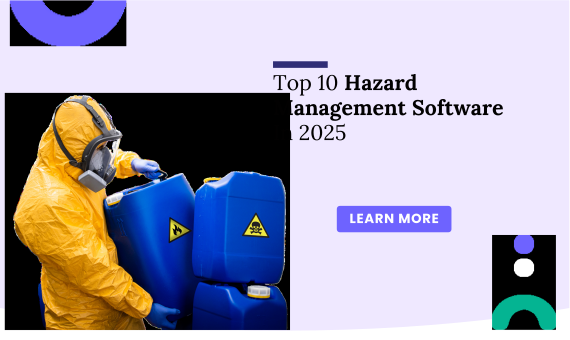
Managing hazards in the workplace is critical to keeping employees safe, operations smooth, and businesses compliant with regulations. In 2026, more companies are moving from paper-based systems and spreadsheets to modern, easy-to-use hazard management software. These tools help teams spot risks early, track incidents, conduct safety inspections, and ensure that corrective actions are taken on time.
Choosing the right hazard management software can save lives and reduce costly downtime. This blog highlights the top 10 hazard management software solutions trusted by safety professionals in 2026.
1. Knowella
Why Use Knowella?
Knowella is a modern, user-friendly hazard management platform built to help companies prevent accidents and simplify safety processes. Designed with both safety professionals and frontline workers in mind, Knowella allows users to log hazards, perform inspections, assign tasks, and track compliance—all in one place.
Its intuitive dashboard makes it easy to manage real-time hazard data and ensure teams are always up to date. Knowella’s mobile-first approach allows employees to report risks, upload images, and complete checklists from any device. This real-time visibility improves decision-making and supports faster corrective actions.
Knowella also shines when it comes to training. It centralizes safety learning materials and tracks certifications, helping businesses stay audit-ready at all times. Whether you’re operating in manufacturing, logistics, construction, or healthcare, Knowella adapts to your workflows and scales as your team grows.
Top Features:
- Log and track hazards in real time with photos and notes
- Assign corrective actions with deadlines and follow-up tasks
- Perform inspections and audits with customizable digital checklists
- Deliver safety training and monitor completion and certifications
- Generate detailed reports to meet regulatory requirements
Free Version: Available
Pricing: Contact Knowella for custom pricing plans
Platforms Supported: Web, iOS, Android
Explore More: https://www.knowella.com
2. SafetyCulture
Why Use SafetyCulture?
SafetyCulture is a popular tool for hazard identification, workplace inspections, and safety audits. Its easy-to-use app helps teams create checklists, track actions, and share reports directly from mobile devices. SafetyCulture is especially helpful for companies with teams working remotely or across multiple sites.
Top Features:
- Build and share hazard checklists
- Assign corrective actions with deadlines
- Use mobile devices for real-time inspections
Free Version: Yes
Pricing: From $24/month per user
Platforms Supported: Web, iOS, Android
Explore More: https://www.safetyculture.com
3. Assure by Evotix
Why Use Assure?
Assure is built for companies with complex safety needs and large teams. It offers multilingual support and tools for capturing, investigating, and analyzing hazards. Assure is ideal for businesses seeking detailed reports and a flexible approach to hazard and risk management.
Top Features:
- Create digital forms for hazards and incidents
- Train employees using in-app modules
- Analyze safety trends across locations
Free Version:
Pricing: Starts at $20,000/year
Platforms Supported: Web
Explore More: https://www.evotix.com/assure
4. SpheraCloud
Why Use SpheraCloud?
SpheraCloud is designed for large businesses needing a comprehensive EHS and risk management platform. It offers predictive analytics, training tools, and hazard tracking in one system. The platform supports real-time reporting and decision-making across departments.
Top Features:
- Predict and prevent risks with analytics
- Record hazards and assign actions instantly
- Track training and compliance easily
Free Version: Available
Pricing: Contact Sphera for details
Platforms Supported: Web, iOS, Android, Windows, Mac
Explore More: https://sphera.com
5. Safesite
Why Use Safesite?
Safesite helps teams engage more with safety programs by making hazard management simple and mobile-friendly. Users can track safety activities, complete hazard checklists, and assign follow-up tasks—all from their phones.
Top Features:
- Mobile checklists and inspections
- Track and score company safety performance
- Assign and verify corrective actions
Free Version: Available
Pricing: $16/user/month
Platforms Supported: Web, iOS, Android, Windows, Mac
Explore More: https://www.safesitehq.com
6. Xafy Safety App
Why Use Xafy?
Xafy is built for industrial teams that need a fast and reliable way to report hazards and track issues. With QR code checklists and real-time alerts, it’s a great fit for manufacturing and logistics companies working across multiple languages and locations.
Top Features:
- QR-code enabled inspections
- Real-time alerts and task assignment
- Cross-device and multilingual support
Free Version:
Pricing: Starts at €149/month
Platforms Supported: Web, Android, Windows, Mac
Explore More: https://www.xafy.co
7. CorityOne
Why Use CorityOne?
CorityOne is a robust, enterprise-level platform that combines safety, quality, and environmental management. It offers predictive analytics, risk modeling, and automated inspections. Best suited for large global teams looking to manage hazards across multiple sites.
Top Features:
- Predictive hazard risk modeling
- Integrated compliance tools
- Supports large-scale EHS programs
Free Version:
Pricing: Starts at $50,000/year
Platforms Supported: Web
Explore More: https://www.cority.com
8. EHS Insight
Why Use EHS Insight?
EHS Insight provides a strong all-in-one solution for hazard tracking, audits, and compliance. It’s great for industries like oil and gas, construction, and manufacturing. With mobile access and simple tools, it helps teams stay compliant without the hassle.
Top Features:
- Hazard alerts and inspection tools
- Mobile access to safety reports
- Support for OSHA and ISO compliance
Free Version: Not available
Pricing: Contact for pricing
Platforms Supported: Web, iOS, Android
Explore: Visit EHS Insight
9. CORE EHS
Why Use CORE EHS?
CORE EHS offers modular safety tools tailored to each company’s unique workflows. It includes powerful hazard tracking, CAPA, and OSHA-compliant features. It’s great for businesses that want flexibility and control over what they use.
Top Features:
- Modular design with customizable tools
- Hazard tracking with follow-up actions
- Compliant with key safety standards
Free Version: Contact for info
Pricing: Contact for info
Platforms Supported: Web, iOS, Android
Explore More: https://www.corepoint.com
10. Workhub by SafetySync
Why Use Workhub?
Workhub is an affordable option for small and mid-sized businesses. It makes it easy to manage hazards, track employee training, and log incidents—all with a simple interface. It’s a great entry-level platform for growing safety programs.
Top Features:
- Track hazards and corrective actions
- Employee training with completion tracking
- Real-time reporting and analytics
Free Version: Available
Pricing: $3/user/month (min. 3 users)
Platforms Supported: Web
Explore More: https://www.workhub.com
Features To Consider In Hazard Management Software
When choosing hazard management software, it’s important to focus on tools that improve visibility, reduce response time, and support compliance. Here are key features to look for:
- Real-Time Hazard Reporting: Ensure your team can log hazards from mobile devices, with photo and note uploads for better context.
- Corrective Action Tracking: The system should allow easy assignment, tracking, and closure of follow-up actions to resolve risks quickly.
- Customizable Checklists and Forms: Your software should adapt to your workflows. Look for platforms that offer editable checklists and inspection templates.
- Training and Certification Tracking: Safety training is key to reducing hazards. Choose tools that allow you to assign, track, and verify employee training records.
- Audit and Compliance Management: Built-in reporting features help meet OSHA, ISO, and other safety standards with ease.
- Mobile Accessibility: A mobile-friendly design ensures hazards can be reported and addressed on-site, in real time.
- Data Analytics and Dashboards: Analytics help you spot trends and improve safety performance over time.
Conclusion
Managing hazards isn’t just about safety, it’s about building a culture of care, reducing risks, and keeping your business running smoothly. With the right hazard management software, you can automate safety processes, empower employees, and avoid accidents before they happen.
Platforms like Knowella stand out by combining simplicity with powerful features. Ready to simplify your hazard management process? Book a demo and get in touch today