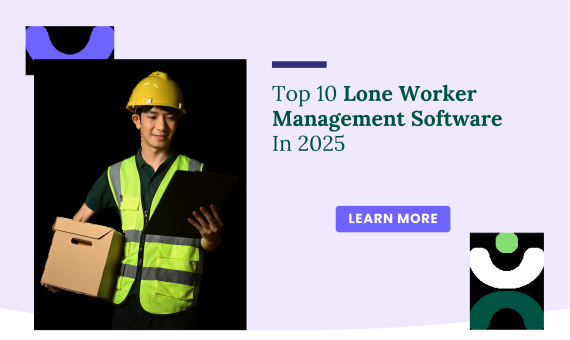
Lone workers are employees who work by themselves, often in isolated or high-risk environments. These could be security guards, field service technicians, utility workers, or home healthcare providers. Because they work alone, their safety needs extra attention. That’s where lone worker management software comes in.
1. Knowella
Why Use Knowella?
Knowella is a leading platform in workplace safety, now making a strong impact in lone worker protection. It’s built with both managers and frontline workers in mind, offering a clear and simple way to keep lone workers safe without extra stress or confusion. With Knowella, companies can set up real-time tracking, automated check-ins, and emergency alerts—all from a central dashboard.
What sets Knowella apart is how easy it is to use. The mobile app supports solo workers on the go, allowing them to check in, receive alerts, and report issues with just a few taps. Managers get a full view of worker locations and statuses, helping them respond faster in emergencies.
Knowella also supports safety training, task assignments, and compliance reporting. Whether you’re in construction, healthcare, logistics, or manufacturing, Knowella is flexible and scalable for any business size.
Top Features:
Free Version: Available
Pricing: Contact Knowella for a custom quote
Platforms Supported: Web, iOS, Android
Explore more: Visit Knowella
- Real-time lone worker monitoring and GPS tracking
- Automated check-ins and customizable emergency alerts
- Mobile-first platform with offline capabilities
- Safety task assignments and compliance tools
- Training management for lone worker safety protocols
- Easy-to-use interface for fast adoption by teams
2. SafetyCulture
SafetyCulture is a trusted name in workplace safety. It now offers features for lone worker safety, such as location check-ins and emergency response. Its mobile-first app makes it easy for remote workers to log their status, complete safety checklists, and send alerts if needed. It’s perfect for companies wanting flexibility and easy setup.
Top Features:
Free Version: Yes, up to 10 users
Pricing: $24/user/month (Premium)
Platforms Supported: Web, iOS, Android
Explore more: Visit SafetyCulture
- Mobile check-ins and lone worker tracking
- Customizable safety checklists
- Task assignments with notifications
- Alerts and real-time reporting
3. SoloProtect
SoloProtect is designed specifically for lone workers. It provides discreet personal safety devices connected to a 24/7 monitoring center. If a worker feels unsafe or is unresponsive, the system alerts emergency services immediately. It’s ideal for high-risk jobs.
Top Features:
Free Version: Not available
Pricing: Custom pricing based on team size
Platforms Supported: Web, iOS, Android
Explore more: Visit SoloProtect
- Personal safety devices with panic buttons
- Real-time GPS tracking
- 24/7 emergency response center
- Fall detection and worker check-ins
4. Blackline Safety
Blackline Safety offers advanced lone worker monitoring using wearable devices and cloud software. The system can detect falls, lack of motion, or missed check-ins and notify emergency contacts. It’s especially useful in industries like oil & gas, utilities, and field service.
Top Features:
Free Version: Not available
Pricing: Custom plans available
Platforms Supported: Web, iOS, Android
Explore more: Visit Blackline Safety
- Wearable safety devices with real-time alerts
- Fall detection and gas exposure tracking
- Automated check-in system
- Live monitoring dashboard
5. PeopleSafe
PeopleSafe offers a complete lone worker safety solution with GPS location tracking, safety timers, and emergency alarms. It uses a mobile app and optional wearable devices to help monitor workers remotely.
Top Features:
Free Version: Not available
Pricing: Contact for pricing
Platforms Supported: Web, iOS, Android
Explore more: Visit PeopleSafe
- Emergency alarms and alerts
- Scheduled check-ins with escalation if missed
- GPS tracking and reporting
- Optional wearable panic devices
6. StaySafe
StaySafe is a simple and affordable lone worker app. It offers check-ins, panic alarms, and low-signal functionality, making it a good fit for workers in rural or remote locations. The system can be used alone or with external monitoring services.
Top Features:
Free Version: Not available
Pricing: Contact for pricing
Platforms Supported: Web, iOS, Android
Explore more: Visit StaySafe
- Timed check-ins and panic button
- Location tracking and real-time alerts
- Compatible with external monitoring teams
- Low signal mode
7. LoneAlert
LoneAlert supports multiple devices—from smartphones to satellite phones—to help monitor lone workers in all types of environments. It’s known for flexibility and reliability, making it useful for both urban and remote locations.
Top Features:
Free Version: Not available
Pricing: Contact for quote
Platforms Supported: Web, iOS, Android, Satellite Devices
Explore more: Visit LoneAlert
- Flexible check-in options across devices
- Panic alarm and man-down detection
- Emergency response management
- Offline functionality
8. Guardian24
Guardian24 helps protect remote workers through mobile apps and wearable tech. It offers 24/7 alarm response, GPS tracking, and audio recording during incidents. It’s widely used in healthcare and social work.
Top Features:
Free Version: Not available
Pricing: Contact sales
Platforms Supported: Web, iOS, Android
Explore more: Visit Guardian24
- Panic button and voice call monitoring
- GPS location and tracking
- Incident audio recording for evidence
- 24/7 monitoring services
9. Ok Alone
Ok Alone is a cost-effective and easy-to-use app for lone worker monitoring. It allows for regular check-ins, emergency alerts, and integrates with devices like smartwatches. It’s ideal for small to mid-sized businesses.
Top Features:
Free Version: Trial available
Pricing: Starts at $8/user/month
Platforms Supported: Web, iOS, Android
Explore more: Visit Ok Alone
- Lone worker check-ins and alerts
- Smartwatch integration
- Flexible scheduling and reminders
- Location reporting
10. GeoPro
GeoPro is a reliable lone worker solution for teams in extreme or remote environments. It works with satellite devices, offers real-time alerts, and includes powerful admin tools to manage remote workforce safety.
Top Features:
Free Version: Not available
Pricing: Contact for custom plans
Platforms Supported: Web, iOS, Android, Satellite
Explore more: Visit GeoPro
- Satellite and mobile tracking
- SOS and two-way messaging
- Centralized dashboard for monitoring
- Escalation workflows
Conclusion
Keeping lone workers safe isn’t just a legal responsibility. In 2026, companies have access to powerful tools that make this job easier and more effective.
Knowella stands out for its user-friendly design, mobile support, and strong focus on real-time safety and compliance. It’s a smart choice for businesses of any size looking to improve how they care for their lone workers.
If you’re ready to upgrade your lone worker safety strategy, Knowella is here to help. Book a Demo and get in touch today
Knowella helps organizations digitize and automate frontline operations, supply chain, and workplace safety-related programs, processes, and workflows; replacing paper, spreadsheets, and siloed tools with smart, no-code automation.